FloatTube
A YouTube mini player for the Mac that stays put while your desktops slide.
- Role
- Designer & engineer — macOS app, Chrome extension, icon & landing page
- Company
- FloatTube · own product
- Period
- 2026
- Platforms
- macOS · Chrome
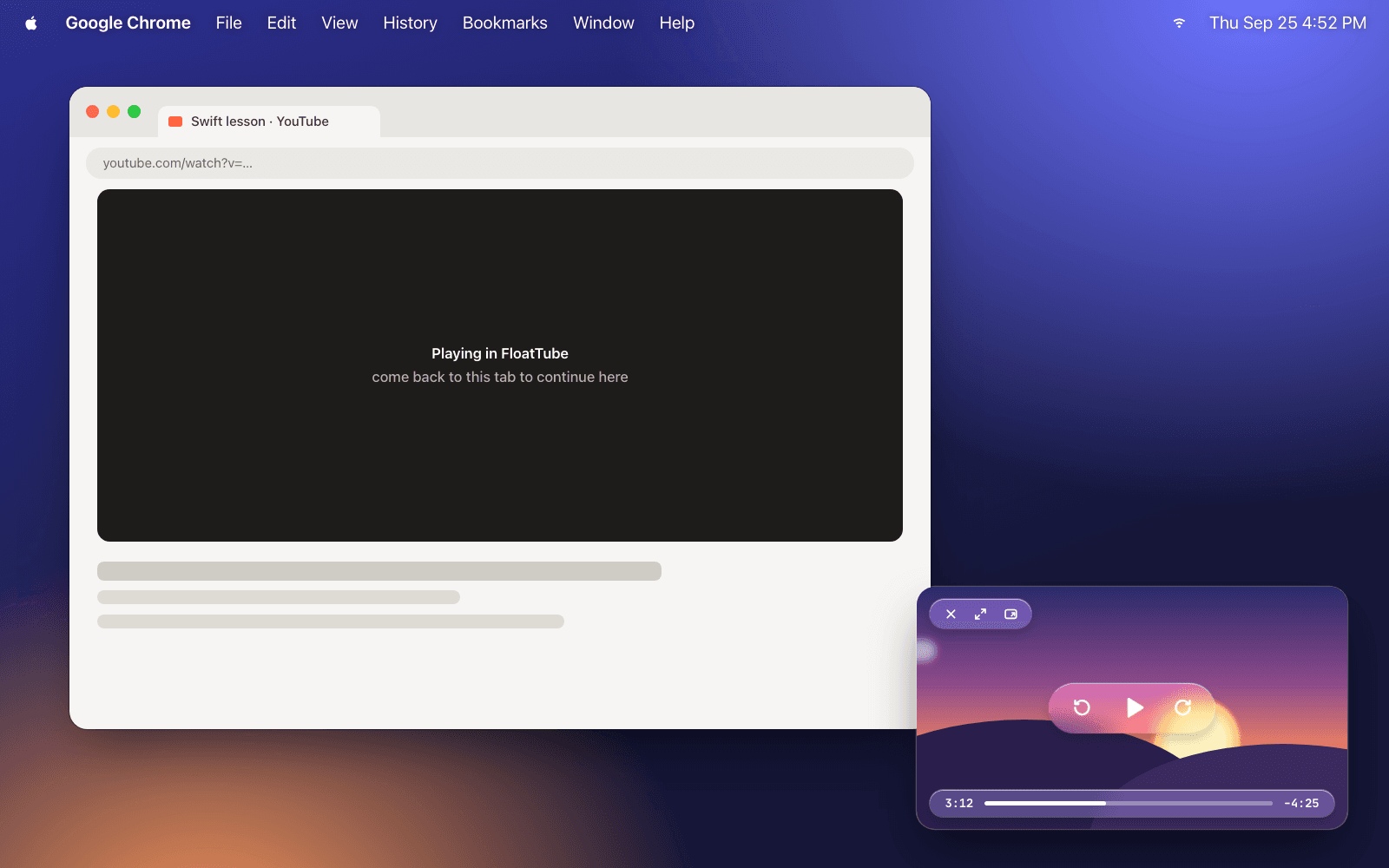
The context
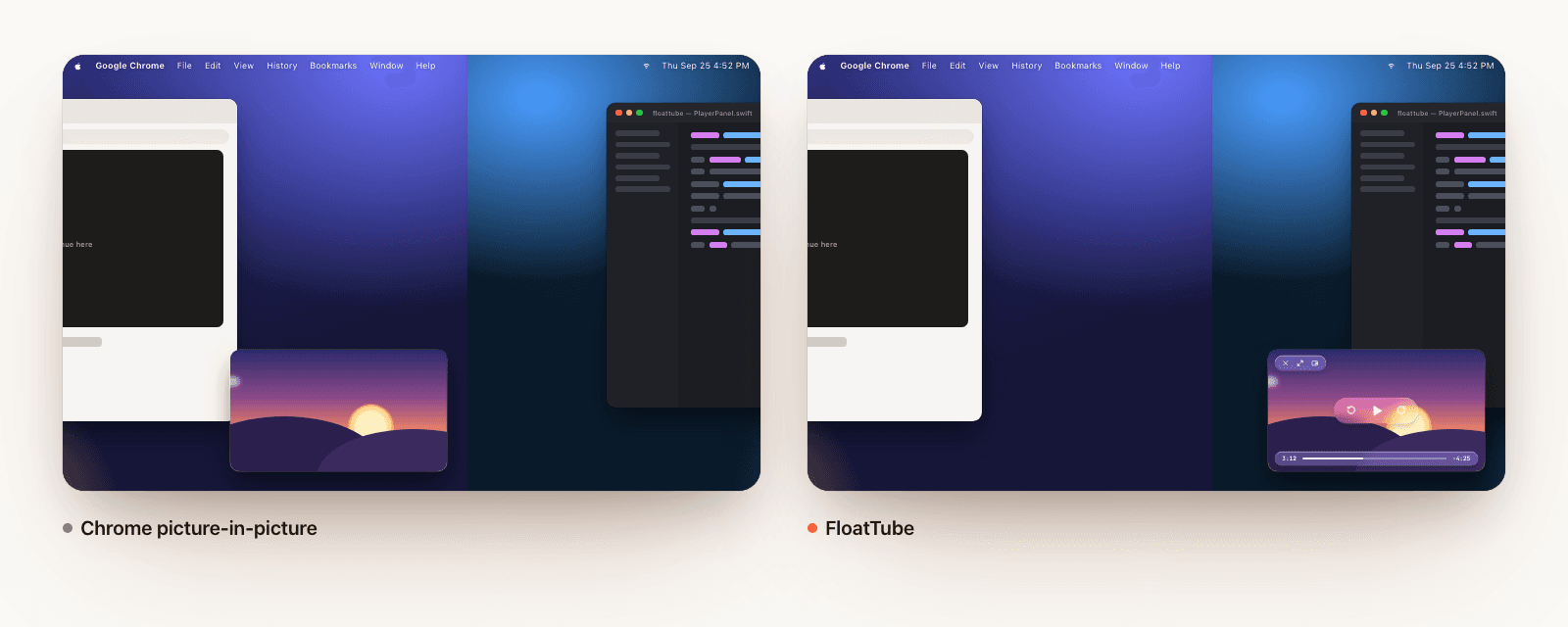
The fix looked like a window flag. It isn't: even a window marked to appear on all desktops still belongs to the user's Spaces, so the WindowServer slides it along with every transition and snaps it back at the end — the glitch you see in Chrome. The only way to keep a window truly still is to take it out of the user's Spaces altogether, which an extension can't do and a regular app window doesn't do by default.
Decisions that were mine
01A private Space above the desktops
The player window lives in a Space created through SkyLight's private API, at an absolute level above the user's desktops and below the lock screen. Checking the window's Space membership in the WindowServer itself showed that the all-desktops flag re-added it to every incoming Space — the ghost that slid in with the new desktop — so the app drops that flag while the player is pinned. If the symbols ever disappear, it detects that and falls back to a regular floating window.
02Native Liquid Glass controls over the YouTube embed
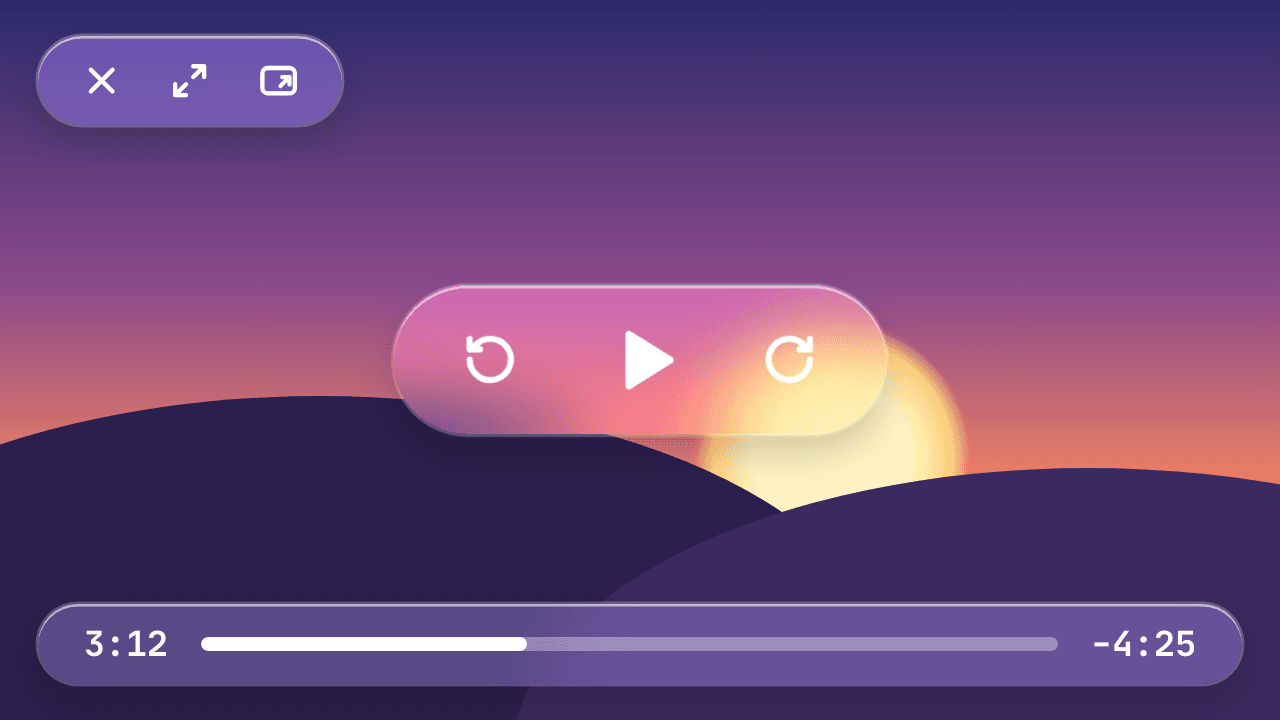
YouTube's redesigned embed spreads its controls across the whole video, which fought with dragging the window around. I hid them — player API with controls off, plus CSS injected into the cross-origin iframe through a WKUserScript — and drew native NSGlassEffectView controls instead, driving playback through the IFrame API. The window drags from anywhere, resizes from wide edge zones or a pinch, and eases between two sizes; during ads, clicks pass straight through so Skip still works.
03Tab handoff over a local WebSocket
A Manifest V3 extension pauses the tab when you leave it and sends the video id, second, speed and volume to the app over 127.0.0.1; coming back returns the exact second to the tab. The app rejects any connection whose Origin isn't a browser extension, and the service worker keeps the socket alive only while a video is floating.
Where it landed
Open source on GitHub with a universal Apple Silicon + Intel build, the Chrome extension, a Liquid Glass icon built in Icon Composer's format and a landing page on Vercel with a live side-by-side demo of the Space switch.
Screens
Next case
Don't Idle→
A native macOS app that keeps your Mac — and your status — awake.